Non-compliant uploads
Aadhaar shared as a plain scan can't be verified through compliant workflows.
Document verification
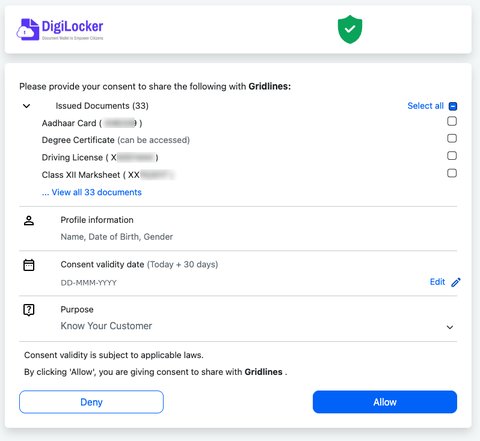
Retrieve government-issued documents directly from the source, with user consent — and onboard users whether or not they already have a DigiLocker account.
Scale
Registered DigiLocker users (710 million+)
Documents issued through DigiLocker
Verifications processed monthly through Gridlines
Source: Press Information Bureau, Government of India, March 2026; DigiLocker official statistics portal
What is DigiLocker verification
DigiLocker is a digital document wallet run by India's Ministry of Electronics and IT under the Digital India programme. Instead of uploading a photo or scan, DigiLocker verification retrieves the document directly from the original issuer — UIDAI for Aadhaar, the Income Tax Department for PAN, state transport departments for driving licences, and universities for degrees.
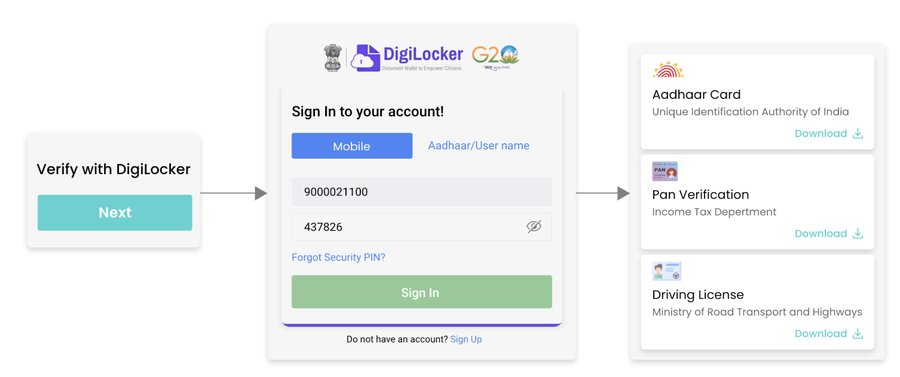
Gridlines' Enhanced Flow API adds a routing layer on top: it checks whether a user's mobile number is already linked to a DigiLocker account, then automatically routes them into the correct flow — Existing Login, PIN Signup, or Pinless Signup.
The problem
An Aadhaar rejected for a non-compliant upload. A driving licence photo bounced for glare. A degree certificate stuck on a notary stamp. A PAN scan too blurry to read. And beyond the documents themselves — not every user already has a DigiLocker account, and a flow built only for existing users forces new users into confusing dead ends mid-onboarding.
Aadhaar shared as a plain scan can't be verified through compliant workflows.
Glare, blur, or cropping gets driving licence and PAN photos bounced back.
Degree certificates often need an extra stamp before they're accepted.
A flow built only for existing DigiLocker users stalls out new ones.
The solution
DigiLocker verification removes onboarding friction by pulling documents straight from the government issuer, with the user's consent, in seconds instead of days. Every document is government-issued and digitally signed, so it can't be edited or falsified the way a scanned copy can.
Gridlines' Enhanced Flow API extends this further: it checks account linkage upfront and routes the user accordingly, so the same integration handles both cases without a separate build for each.
Core capabilities
Works for both new and existing DigiLocker users through one integration.
Choose PIN or Pinless signup for new users, set once for your integration.
Users are routed automatically, minimizing redirects and confusion.
Mobile OTP, password, or Aadhaar-based login — no dead end on failure.
Recovers sessions instead of losing the user entirely.
JSON, XML, or PDF — plugs directly into your existing systems.
Seconds, not days — pulled programmatically from the issuer.
Digitally signed at the source — can't be edited or falsified.
Cuts printing, storage, and courier costs entirely.
Accessible from any device without re-uploading.
The same Enhanced Flow integration lets a user sign in by mobile number, username, or another ID — no dead end if one method doesn't apply to them.
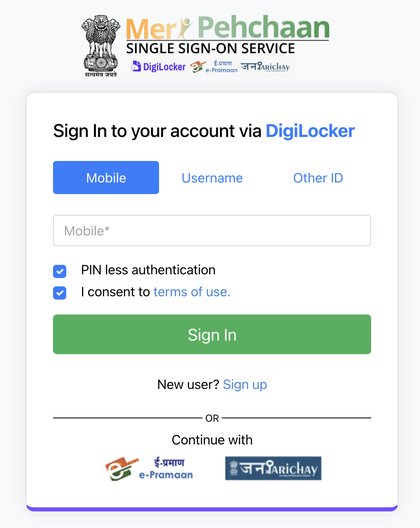
Mobile number
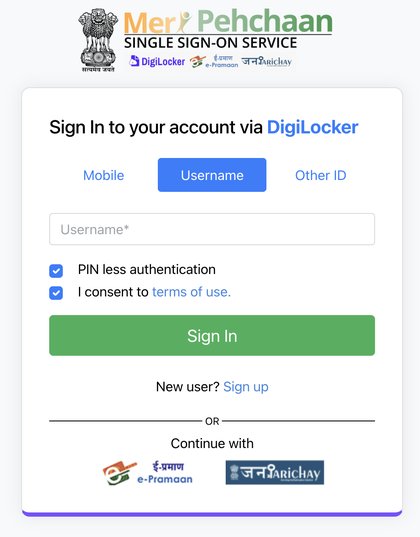
Username
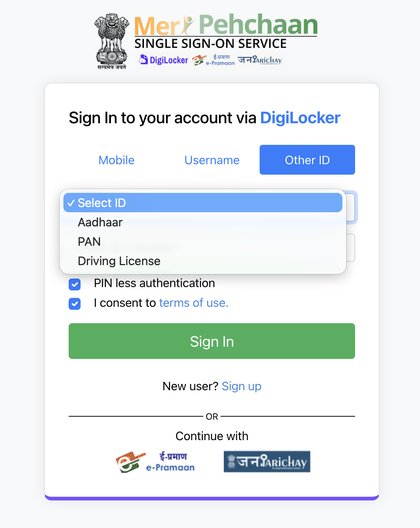
Aadhaar, PAN, or driving licence
Industries
Use cases
Banking & NBFC
KYC for both existing DigiLocker users and first-time users onboarded on the spot.
Insurance
Policyholder onboarding and claims verification without physical paperwork.
HR & Hiring
Verifying educational credentials and identity documents during onboarding.
Government & Airports
Accepting digital IDs in place of physical copies at the point of service.
Individuals
Sharing Aadhaar, PAN, driving licences, and academic records without carrying physical copies.
How it works
01
Your platform calls the Init API with the redirect URI, mobile number, linkage-check flag, and signup preference.
02
The system checks whether that number is linked to DigiLocker and evaluates your signup preference if not.
03
Existing accounts get a Pinless Login URL; new ones are routed to Pinless or PIN signup.
04
Once signup or login and consent are complete, DigiLocker-issued documents are fetched.
Integration
Full parameter reference, error codes, and response schemas to follow — this covers the Init call and document coverage.
curl --location 'https://api.gridlines.io/digilocker/init?pinless=true' \
  --header 'Accept: application/json' \
  --header 'Content-Type: application/json' \
  --header 'X-API-Key: ' \
  --header 'X-Auth-Type: API-Key' \
  --header 'X-Reference-ID;' \
  --data '{
  "redirect_uri": "",
  "check_account_linked": "true",
  "mobile_number": "",
  "sign_up_preference": "PINLESS",
  "consent": "Y"
}'Compliance
✓Consent must be explicit and demonstrable — the user approves each document share, and the Init API itself requires an explicit consent field.
✓Data minimisation applies — request only the documents your use case genuinely needs.
✓Authenticity comes from the issuer, not the user — the core anti-fraud advantage over upload-based checks.
✓Privacy regulation is active — align storage and retention with India's DPDP framework and current UIDAI/DigiLocker guidance before going live.
Why Gridlines
The base DigiLocker flow assumes every user already has an account. Ours doesn't.
Businesses integrating DigiLocker directly often see users forced to sign up mid-flow, single-mode authentication failing, and access limited to one or two document types. The Enhanced Flow API is built specifically to close that gap.
Book a Demo01
Checks account linkage upfront instead of relying on the user to know their own status.
02
Mobile OTP, password, or Aadhaar login — one failure doesn't end the flow.
03
Aadhaar, PAN, driving licence, RC, passport, and education certificates, one integration.
04
Smart retry handling recovers sessions instead of losing the user.
FAQs
A way of retrieving a document directly from its government issuer — UIDAI, the Income Tax Department, an RTO, or a university — instead of relying on a user-uploaded photo or scan.
Get started
Integrate DigiLocker verification through the Enhanced Flow API — higher completion rates and broader document coverage for new and existing users alike, without building it from scratch.